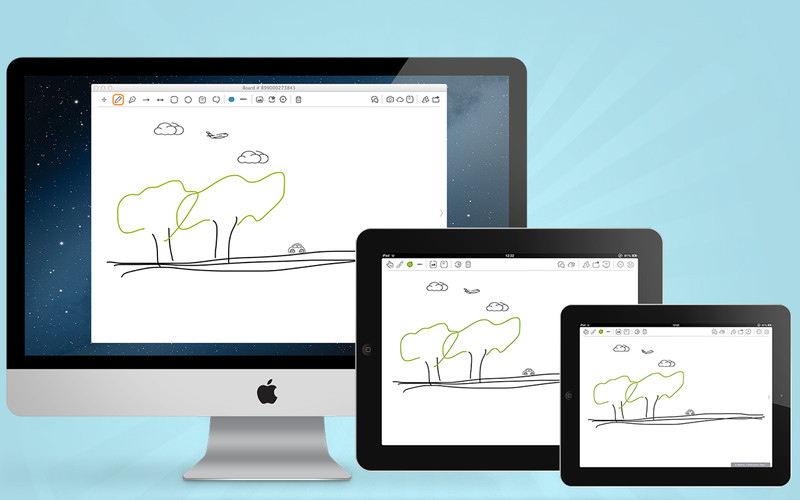
 Collaboration is key, and BaiBoard is a great FREE tool for student/teacher collaboration. With BaiBoard you an draw on a Mac or iPad and see, in near real time, the drawing appear across all devices. What I really like about BaiBoard is that you don't need to create an account in order to use it.
  To create a new BaiBoard you just open the App on your Mac or iPad. You will see all the BaiBoards that you have created along with all the "meets" that you are currently in. You can then create a new Board or join a current meet (what they call shared Boards). Boards can be password protected, which is a nice feature since nearby boards show by default.
The editor includes plenty of tools including drawing, texts, shapes, and a grid for graphing. You can even add PDFs to annotate together. Collaborating on PDFs is a little less than intuitive. Once you attach a PDF to a board you and other collaborators will need to independently open the PDF before you can annotate it.
I have not found a limit to the number of users that can be connected to a Board (maximum attempted has been 6). The number of shared PDF annotators appears to be limited to 4.
I can see lots of uses for Baiboard in the classroom. From working on math problems collaboratively to completing graphic organizers in partners. Baiboard can also be used for collaborative brainstorming and mind-mapping.
To make Baiboard even better, it's super easy to export a board or an annotated PDF. Baiboard includes direct connections to Dropbox and Google Drive accounts. Students can also e-mail Baiboards. You can also use the Open-in function to export the Board to any app that works with PDFs.
